Recruitment OS
Publish branded careers pages, reach candidates on the Mrfqy Jobs Hub, score interviews, accept resumes, and hire into HR with offer → Sign — one stack for Arab SMEs.
For employers
Enable `/careers/{slug}`, opt into Jobs Hub, publish roles, run pipeline kanban, and save interview scorecards — then hire into HR in one click.
For job seekers
Sign up once, upload your resume, apply on any careers portal or the Jobs Hub, and track every application from your dashboard.
Organization-aware hiring
Pick department, section, and job title in ERP Recruitment. Published careers pages display the same org path and company logo — no free-text department drift.
Explore Mrfqy HRM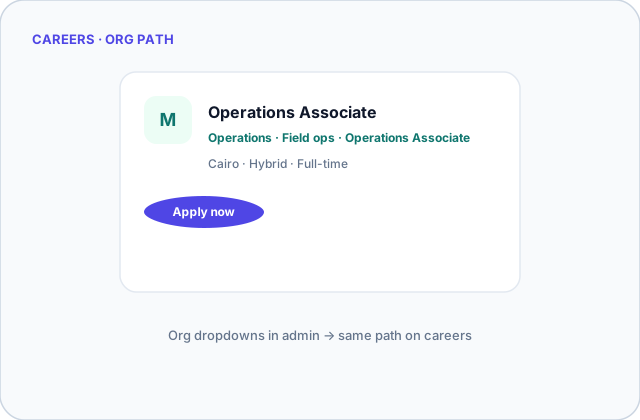
What's included
Every tenant gets a bilingual careers site with your logo — share one link, accept applications online.
Opt in to cross-company discovery with featured role slots. Candidates apply with one talent profile across every employer.
Job seekers sign up once — edit profile, upload resume, track applications, and offers from a single dashboard.
Move candidates through pipeline stages, send offers via Sign, and create employees in HR in one click.
KPI strip, funnel health, top roles, and recent applicants — your hiring command desk inside ERP.
Structured sliders for communication, technical fit, and culture — with proceed / hold / reject recommendations.
Candidates attach PDF or Word resumes at apply time; recruiters open files from the applicant drawer.
Mark priority roles as featured so they surface at the top of the public Jobs Hub for more reach.
Add bilingual screening questions per role — short text or long answer — with required-field validation on apply.
How employers hire
How candidates apply
ERP at the center — store, POS, websites, and domains on one spine.